
For Benno’s Painting Services we had three non‑negotiables: pages that feel instant, day‑to‑day upkeep that’s almost boring, and no always‑on app server to patch and nurse. This walkthrough covers how Astro, Bunny.net edge scripts, and a Git‑based CMS (Decap + GitHub) let us hit those goals for a real Perth trades site.
If you’re weighing a similar stack for your business or a client, treat this as a field guide: architecture, editorial workflow, auth, forms, email, and automation—everything aimed at Jamstack‑style reliability without the ops overhead.
Architecture at a Glance
At a high level, the site is a static Astro build, fronted by Bunny.net, with a couple of edge scripts and background automations hanging off GitHub. There is no app server serving HTML; everything is either a static asset, an edge script, or a short‑lived automation.
- Astro for the front end.
- Bunny.net for hosting, CDN and edge middleware.
- Decap CMS on top of GitHub for content.
- A tiny Node/Express + GitHub API admin API for specialised use‑cases.
- Bunny edge scripts + Resend for forms and email delivery.
- Scripts + GitHub Actions to sync Google/Facebook reviews automatically.
From a maintenance point of view this means:
- No long‑running app server serving HTML.
- All content lives as plain JSON and Markdown in Git.
- Auth, forms and integrations are handled at the edge or via short scripts.
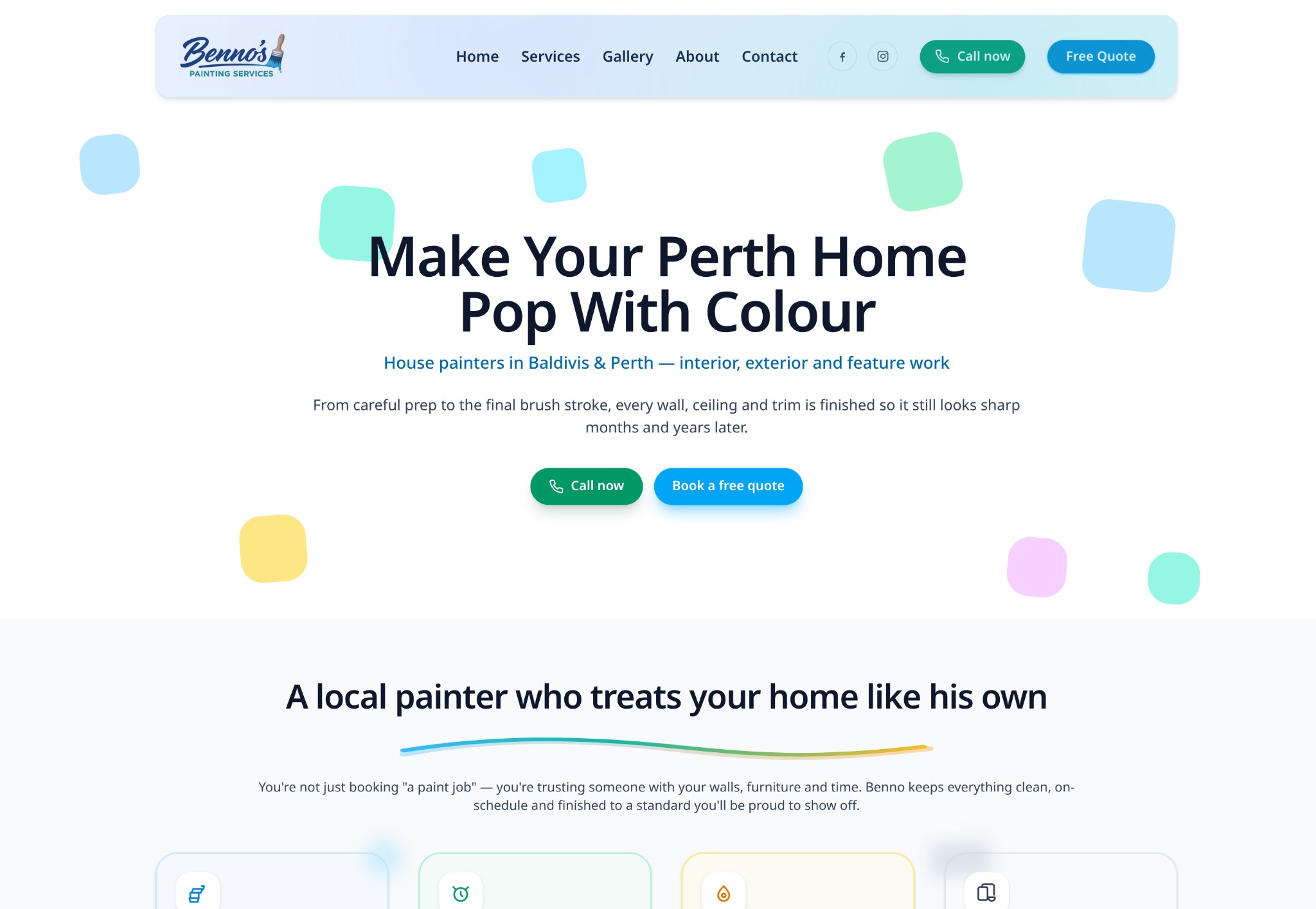
You can see the finished site live at Benno’s Painting Services.

Front End: Astro Pages with Structured Data
We used Astro to build the site as a static bundle. Pages like index, services, about, gallery and contact are .astro files, while copy, images and settings live in JSON content files under src/content/*.json. This keeps templates and content cleanly separated.
Because this is a local business site, we also leaned on structured data:
- The homepage renders a combined
LocalBusiness+WebSitegraph in JSON‑LD, including anAggregateRatingand aReadActionpointing at the “Get a quote” page. - The contact page adds a
ContactPageschema linked back to the sameLocalBusiness. - The services page exposes an
ItemListof services for richer search snippets.
Astro makes this straightforward: each page imports the relevant JSON, builds a JS object, and inlines it as
<script type="application/ld+json"> at build time. There’s no runtime dependency on a backend to generate this structured data.
Content Workflow: Decap CMS + GitHub
All of the site content lives in GitHub. Business details, service descriptions, reviews and more are stored in JSON files like src/content/site.json, and media uploads live in public/uploads. On top of that Git‑based content we layered a CMS experience with Decap CMS.
Decap CMS at /admin
Decap (formerly Netlify CMS) provides a form‑based UI at /admin:
- GitHub backend – it commits directly to the repo/branch.
media_folder: public/uploadsandpublic_folder: /uploadsso images behave predictably.- Collections and fields map directly to the JSON files we want the client to be able to edit.
The admin UI is a static page built with Astro. Decap loads config.yml and talks to GitHub via OAuth (we’ll get to how we implemented that on Bunny in a moment). The source of truth remains Git, and deployments are just build + upload.
Astro + Bunny Edge Scripts: GitHub OAuth for Decap
Decap’s GitHub backend needs an OAuth flow to mint short‑lived access tokens. Instead of running a separate Node auth server, we implemented that flow entirely as a Bunny edge script attached to the main Pull Zone.
The script handles two key routes:
- GET /admin/auth → redirect to GitHub OAuth. It reads the GitHub client ID from environment variables, builds a
redirect_uriback to/admin/callback, and redirects the editor tohttps://github.com/login/oauth/authorize. - GET /admin/callback → exchange code, deliver token. It exchanges the code for an access token with GitHub, then responds with a tiny HTML page that posts a success message back to the Decap OAuth popup, or falls back to using a hash fragment that Decap can parse.
This keeps OAuth logic self‑contained at the edge: no extra infrastructure beyond Bunny and GitHub OAuth, secrets live in Bunny script envs, and if we move the site in future the auth logic is mostly a single TypeScript file to redeploy.
Forms & Email: Bunny Middleware + Resend
The contact and quote forms all submit to a single endpoint: POST /api/send. Rather than hitting a server we own, we wired that into a Bunny edge script attached to a dedicated notifications Pull Zone (for example, notifications.bennospaintingservices.com.au).
The edge script:
- Intercepts only
/api/send, passing all other requests through to origin. - Handles preflight (
OPTIONS) with proper CORS headers. - Accepts JSON or
multipart/form-data, normalising into a set of fields like name, email, phone, suburb, message and optional attachments. - Implements simple but effective spam checks (honeypot field, minimum form fill time).
- Sends emails via Resend using env vars for API key and routing addresses.
All of this runs at the edge before the request ever hits origin. There’s no separate API server or function runtime to scale or monitor, but the client still gets CORS, validation and resilient email delivery.
Automating Social Proof: Syncing Google & Facebook Reviews
The homepage exposes real client reviews from a site.json field. Editors can change these manually, but we also wanted an automated way to keep them fresh by pulling from Google Places and Facebook ratings.
We solved this with a small Node script plus a GitHub Actions cron job:
- The script calls Google Places and Facebook Graph APIs using API keys and IDs stored as secrets.
- It normalises responses into an array of reviews that matches the
site.reviewsschema. - A scheduled GitHub Action runs the script, writes updated reviews into
src/content/site.json, and commits if there are changes.
From there, your CI/CD pipeline simply rebuilds and redeploys the static site. No one has to remember to “update reviews”; it just happens on a schedule.
A Tiny Admin API Backed by GitHub Contents
For some use‑cases you may want a programmatic way to read or update content without dropping editors into the CMS. For that, we built a small Node/Express admin API that talks directly to the GitHub Contents API.
- GET /api/content/site fetches
src/content/site.json, decodes it and returns JSON. - PUT /api/content/site requires an
x-admin-secretheader, loads the current file and itssha, then writes a new version usingPUT /repos/{owner}/{repo}/contents/...on a target branch.
This gives us a secure, simple bridge for internal tools or low‑code dashboards, while keeping Git as the single source of truth—there’s no additional database to manage.
Why Bunny for Hosting and Edge Logic?
We chose Bunny for hosting this Astro project because it gives us simple static hosting, a global CDN, and the ability to run small pieces of logic at the edge. That combination is ideal for this kind of Astro Bunny edge scripts architecture.
- The core site is a Pull Zone serving the Astro build.
- An additional Pull Zone handles notifications and attaches the email edge script.
- Edge Scripts run TypeScript in a Deno‑like runtime with env vars for secrets and access to
fetchfor Resend/GitHub.
Operationally, this keeps things light: if Astro builds and Bunny serves, the site works. There’s no always‑on Node server to patch, no complex scaling story, and a very small surface area where things can break.
Lessons Learned and Reuse for Stride IT
For a relatively small local business site, this stack might look “over‑engineered” at first glance. In practice, it’s the opposite. Editors get a friendly CMS UI, we keep Git‑based workflows and code review, and there is no monolithic app to keep alive.
- Clients edit content in tools they understand, but content is still versioned in Git.
- Auth, forms and integrations are all handled at the CDN edge.
- Automation (reviews sync, content updates via GitHub Actions) keeps the site fresh without manual effort.
For Stride IT, this pattern is now reusable: we can swap in a different Astro (or other static) front‑end for another client, keep the same Bunny edge patterns for auth and forms, and reuse the GitHub‑centric workflows for content and automation.
Interested in a Similar Low‑Maintenance Stack?
Want something similar—Astro up front, Bunny for CDN and edge glue, Git for content and automation? We’d be glad to help you design and run it for your next site or internal tool.
Want a low‑maintenance, high‑reliability site?
We help Perth and Greater Metro businesses design and run stacks like this—fast for visitors, sane for your team, and secure by default. Get in touch or contact us and we’ll map options to your budget and risk.